The complete Go Live walkthrough
Every frame below is captured from the studio itself, not an illustration — showing how a broadcast is configured, branded and sent live.
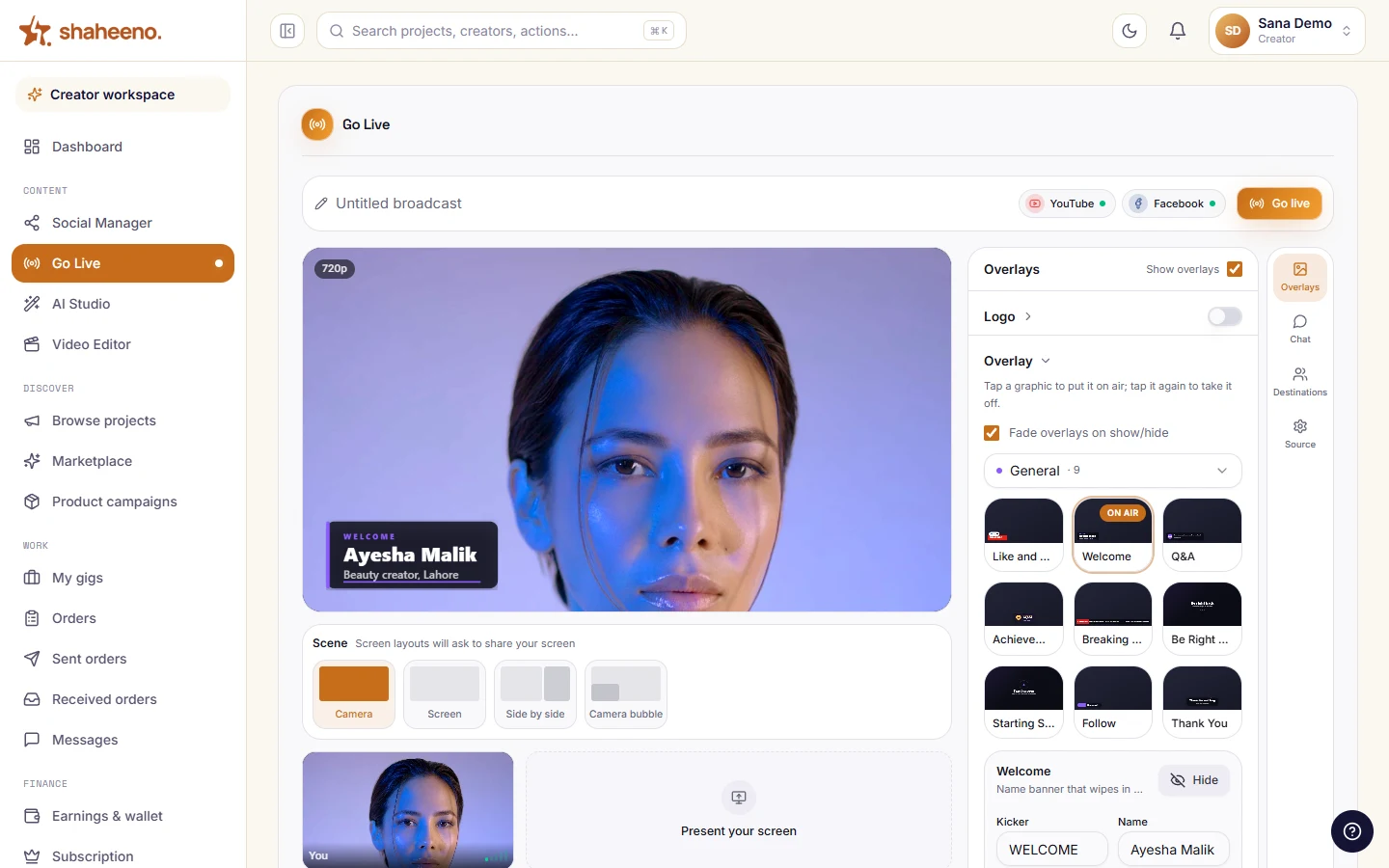
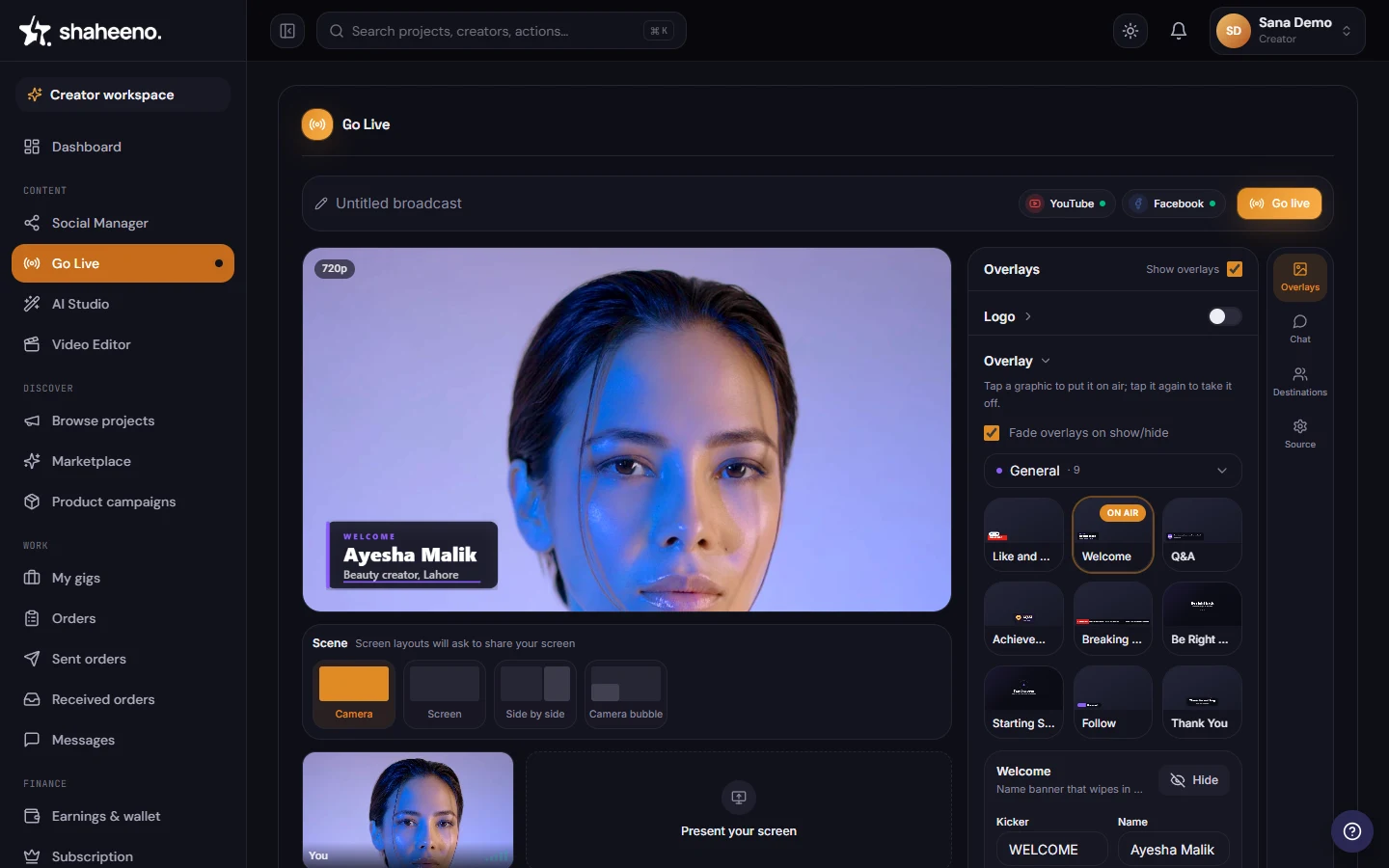
The control room as it opens — a live canvas, the scene row, the overlay deck and one button.
Self-driving demo of the real control room — hover to pause, click any step to explore yourself.
What's in it
A studio that keeps working after you stop
One broadcast, three destinations
YouTube and Facebook Pages create the broadcast over their own APIs; Instagram relays a Live Producer key you paste in. One browser tab, no second encoder and no second machine. TikTok is next.
Your browser, or your encoder
Go live straight from the tab over WebRTC, or copy the RTMP server and stream key into OBS, Streamlabs or vMix. The same destinations either way, with a six-step walkthrough if you want it.
Custom overlays and sponsor graphics
Brand the stream with your own overlays, lower thirds and tickers, and drop in a sponsor's logo mid-broadcast without leaving the studio.
Recording that never leaves your machine
Recording captures exactly what viewers see, overlays burnt in. Stop, and a .webm downloads straight to your device — one mixed file at 30fps, never uploaded.
Cut the recording in your browser
The .webm lands on your machine, and the browser video editor opens on a multi-track timeline — trim it, auto-subtitle it in Urdu, and export MP4 or WebM for Reels or Shorts.
Publish and schedule from one calendar
Push the finished cut to YouTube, Facebook Pages, Instagram or LinkedIn with real OAuth, or drop it on the calendar and let it go out later.
Prefer to cut the recording yourself? The browser video editor opens in the same workspace — a multi-track timeline, automatic captions in ten languages, and MP4 or WebM export.
Compared
Shaheeno live studio vs StreamYard
Including the rows where StreamYard wins.
Runs in the browser
- Shaheeno
- Yes
- StreamYard
- Yes
Neither requires an install.
Guests on screen
- Shaheeno
- Solo host only
- StreamYard
- 6 on Free, 10 on Core, plus 15 backstage participants on Advanced
StreamYard wins this outright. Panels and interviews belong there.
Destinations
- Shaheeno
- 3: YouTube and Facebook Pages over their APIs; Instagram by pasting a Live Producer key
- StreamYard
- Native to YouTube, Facebook, Instagram, LinkedIn, X, Twitch, Kick and Brightcove, plus custom RTMP
StreamYard multistreams to 3 at once on Core and 8 on Advanced. TikTok is next on Shaheeno's list, not shipped.
Price
- Shaheeno
- Free on every creator plan; on Umeed, browser streams carry a small Shaheeno logo
- StreamYard
- Free with the StreamYard logo and streaming limits; Core $44.99/month ($35.99 annual); Advanced $88.99/month ($68.99 annual); Business $299/month
On StreamYard, removing the logo, 1080p and multistreaming all start on Core.
Recording
- Shaheeno
- One mixed WebM at 30fps, saved straight to your device; nothing uploads
- StreamYard
- Cloud recording on paid plans; local recordings as separate audio and video files per participant, 1080p (4K on Advanced); Free gets 2 hours of local recording a month
StreamYard's isolated tracks are the better input for editing. Shaheeno's single file never leaves your machine.
Overlays and branding
- Shaheeno
- Watermark, lower thirds and animated graphics composited before the send
- StreamYard
- Logos, overlays, backgrounds, banners and a chat overlay from Core; custom fonts on Advanced
Comparable in kind; StreamYard's library is larger. Shaheeno's is free; StreamYard's branding tools start on Core.
Editing the recording
- Shaheeno
- Multi-track timeline editor in the browser; subtitles in 10 languages, transcribed in the cloud by default or in your browser; MP4 or WebM export
- StreamYard
- AI clips: auto-captioned vertical clips from recordings on Core and up; transcripts on Advanced; no timeline editor
Different tools. StreamYard's clips are faster for shorts; Shaheeno's editor is for a proper cut.
Webinars and audience tools
- Shaheeno
- Not offered
- StreamYard
- On-Air webinars with 100 viewers on Advanced, more on Business
StreamYard only.
Publishing and scheduling
- Shaheeno
- Publish to YouTube, Facebook Pages, Instagram and LinkedIn from one calendar; only YouTube and Facebook can be scheduled — Instagram and LinkedIn post immediately
- StreamYard
- Schedules broadcasts and pre-recorded streams to its destinations; no post publishing
StreamYard hands off at the end of the broadcast.
Brand deal marketplace
- Shaheeno
- Included; PKR wallet, Pakistan only
- StreamYard
- Not offered
Different category.
Product maturity
- Shaheeno
- Newer
- StreamYard
- Years in production with a large user base
The honest reason to pick StreamYard for a stream you cannot afford to lose.
Best for
- Shaheeno
- Creators in Pakistan turning streams into a content pipeline
- StreamYard
- Anyone who needs multi-guest streaming and nothing else
Genuinely different jobs.
As of September 2026. Competitor plans, prices and features checked against their published pricing pages and help centres; Shaheeno's column describes what the product does today.
FAQ
Live streaming, answered
Do I need to install software to go live?
No. The studio runs entirely in the browser — open a tab, pick your destination and go live. There is nothing to download and no encoder to configure, which is why you can be on air in about a minute.
Can I live stream without OBS?
Yes — that is the point of a browser studio. There is no OBS to configure, no scenes to build and no encoder settings to get wrong: open the studio, add your destinations and go live. OBS remains the right tool for complex custom rigs; for a solo talking-head show, a tutorial or a launch stream, the browser does the whole job.
Can I stream to YouTube and Facebook at the same time?
Yes. Connect both accounts and one broadcast goes to YouTube and Facebook Pages at the same time — each created over that platform's own API — with Instagram alongside them if you paste in a Live Producer key. One browser tab, no second encoder.
Is there a live stream overlay maker built in?
Yes. The studio ships ready-made overlays, lower thirds and tickers you can brand, plus an AI generator that builds new overlay presets from a text description — and you can drop a sponsor's logo in mid-broadcast without leaving the studio.
How many platforms can I stream to at once?
Three today: YouTube, Facebook Pages and Instagram, all from the one broadcast. YouTube and Facebook are created over their own APIs; Instagram relays a Live Producer stream key you paste in. TikTok is listed in the studio as next release. (3 live destinations.)
Can I record while streaming?
Yes, and the recording never leaves your machine. It captures exactly what viewers see — overlays burnt in — and saves a .webm to your device the moment you stop. One mixed file at 30fps, not a per-track master.
What happens to the stream after I stop?
The recording saves to your own machine as a .webm. From there the browser video editor opens it on a multi-track timeline — trim it, auto-subtitle it in Urdu, export MP4 or WebM, and publish or schedule it to your connected channels. All in the same browser session, with the cut and the export rendered on your own machine.
How is this different from StreamYard?
StreamYard is a more mature streaming product and wins on guests and destination count. Shaheeno covers a narrower slice of the broadcast and then continues past it — a multi-track browser video editor, publishing to your connected channels, and a brand deal marketplace with PKR escrow.
Is Go Live part of the AI Studio?
It is its own entry in the creator workspace, right under Social Manager. Social Manager is where the destinations are connected, Go Live is the control room that broadcasts to them, and the AI Studio is where the recording gets published afterwards. One login, one sidebar, three doors.
Is the live studio free?
Yes — Go Live is free on every creator plan. On Umeed, browser streams carry a small Shaheeno logo; Parwaaz and Shaheen stream without it. Plan details are on the pricing page.